
OPENSHORTS ONLINE • CLOUD GPU CLIPPER

OpenShorts AI Clip Generator — Viral Clips in Minutes

Upload a long podcast, interview, or YouTube video. Our OpenShorts AI Clip Generator finds high-retention hooks, reframes to 9:16, 1:1, or 16:9 with split screen or face tracking, and burns in captions.

Public videos only. Length is checked before anything is charged.

The cost is confirmed once you submit
Framing

AI inspects each scene and picks Track, Split, or Screencast automatically.

Output aspect ratio
Clip length
03:56score 94
10:26score 91
18:53score 88
94 top pick
6 clips Focalreel picked from one 21-minute interview

A real run

Long Videos to Ready-to-Post Clips

Each red mark is a stretch Focalreel pulled from the source. It cuts on sentence boundaries, keeps the speaker in frame and ranks every clip, so you can post the strong ones first.

Source, 16:921:25
1
2
3
4
5
6
00:0010:0020:00
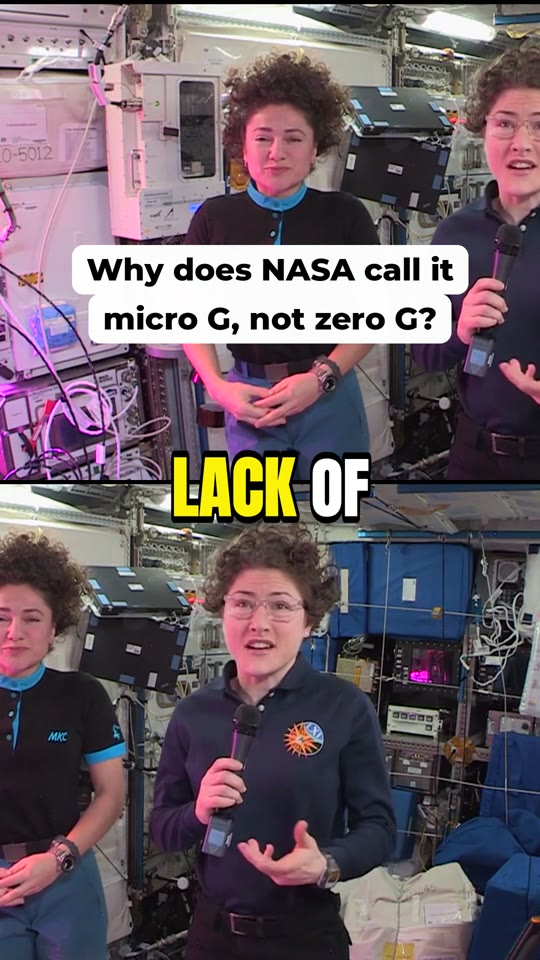
  1. 194score

    Why NASA Calls It Micro-G, Not Zero-G

    Why does NASA call it micro G, not zero G?

    from 03:56

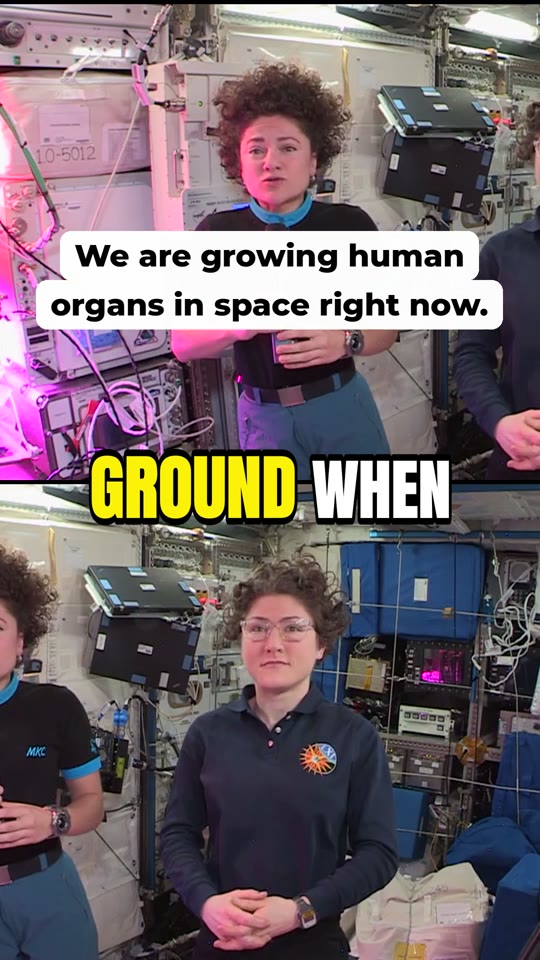
  2. 291score

    Growing Human Organs in Space

    We are growing human organs in space right now.

    from 10:26

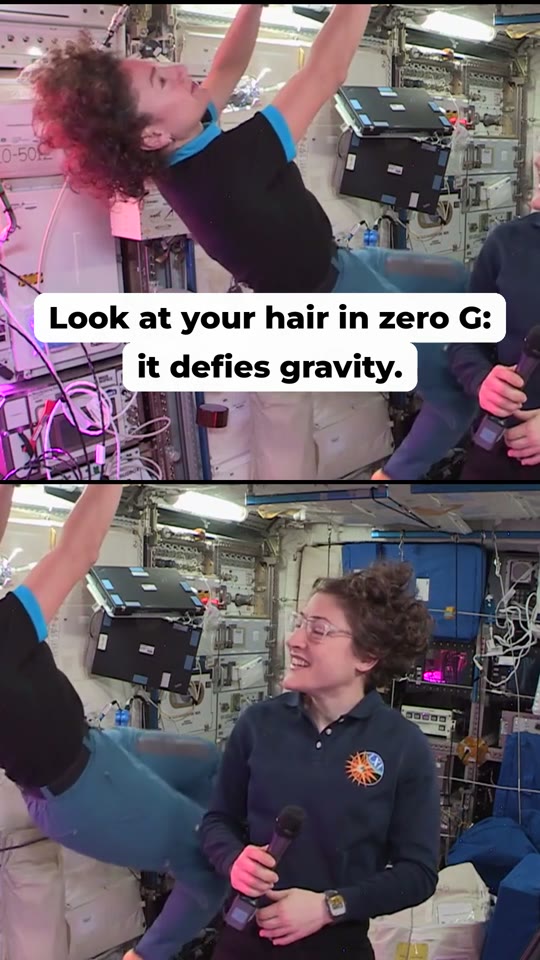
  3. 388score

    How Hair Defies Gravity in Zero-G

    Look at your hair in zero G: it defies gravity.

    from 18:53

  4. 484score

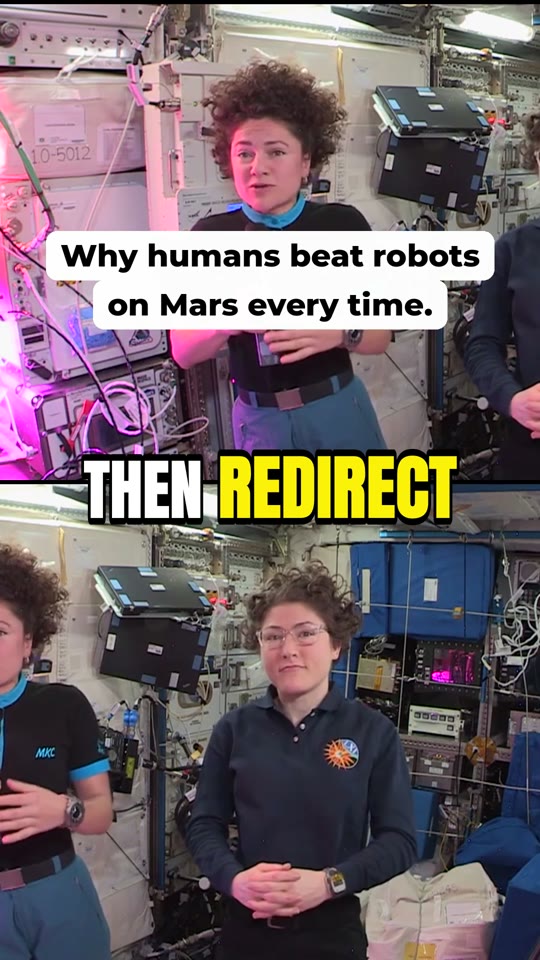
    Why Humans Beat Robots on Mars

    Why humans beat robots on Mars every time.

    from 14:50

  5. 581score

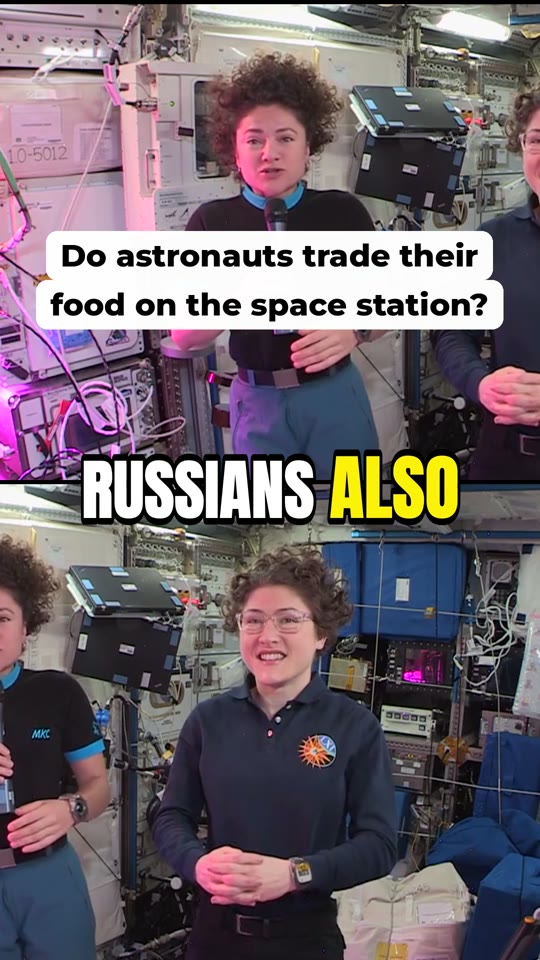
    Do Astronauts Trade Food on the ISS?

    Do astronauts trade their food on the space station?

    from 06:35

  6. 678score

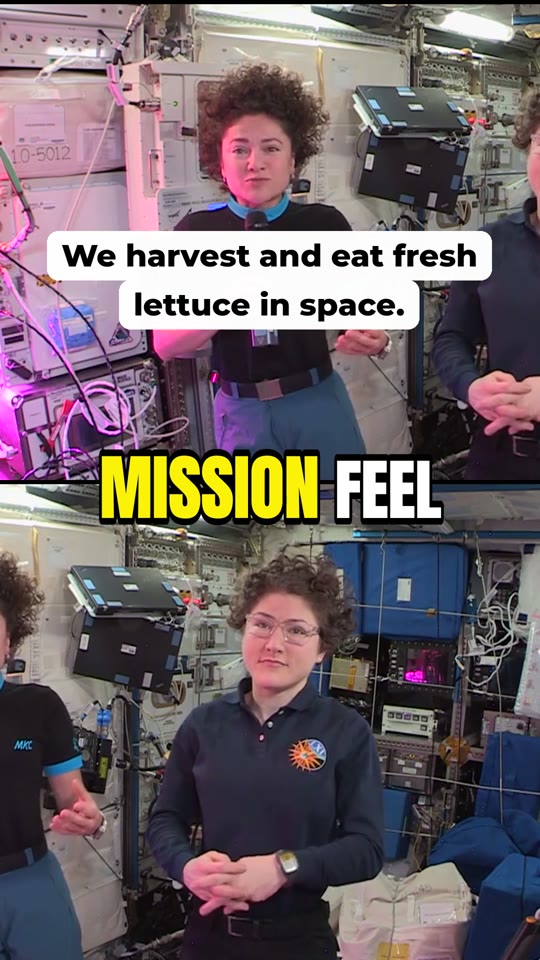
    Harvesting Fresh Lettuce in Space

    We harvest and eat fresh lettuce in space.

    from 07:25

Demo run on a public interview. Titles, hooks and scores are the unedited model output.

Face Tracking, Split Screen & Captions

Framed on whoever is talking

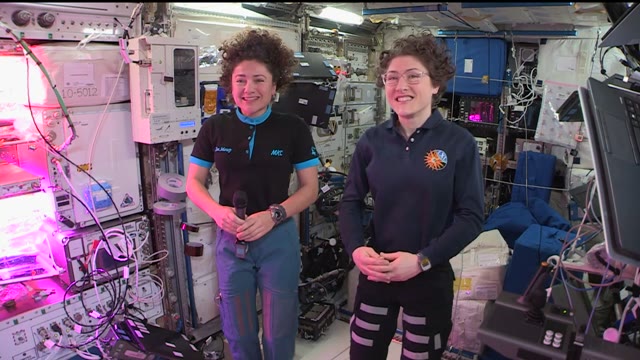
Face tracking follows the active speaker. Two people on screen get a clean top and bottom split. Screen recordings keep the screen readable with the presenter underneath.

  • Speaker tracking
  • Two-person split
  • Screen + presenter

16:9

9:16

Picks moments that stand on their own

It reads the whole transcript, cuts on full sentences and writes a hook line for the opening seconds. Every clip comes with a score and the reason it was picked.

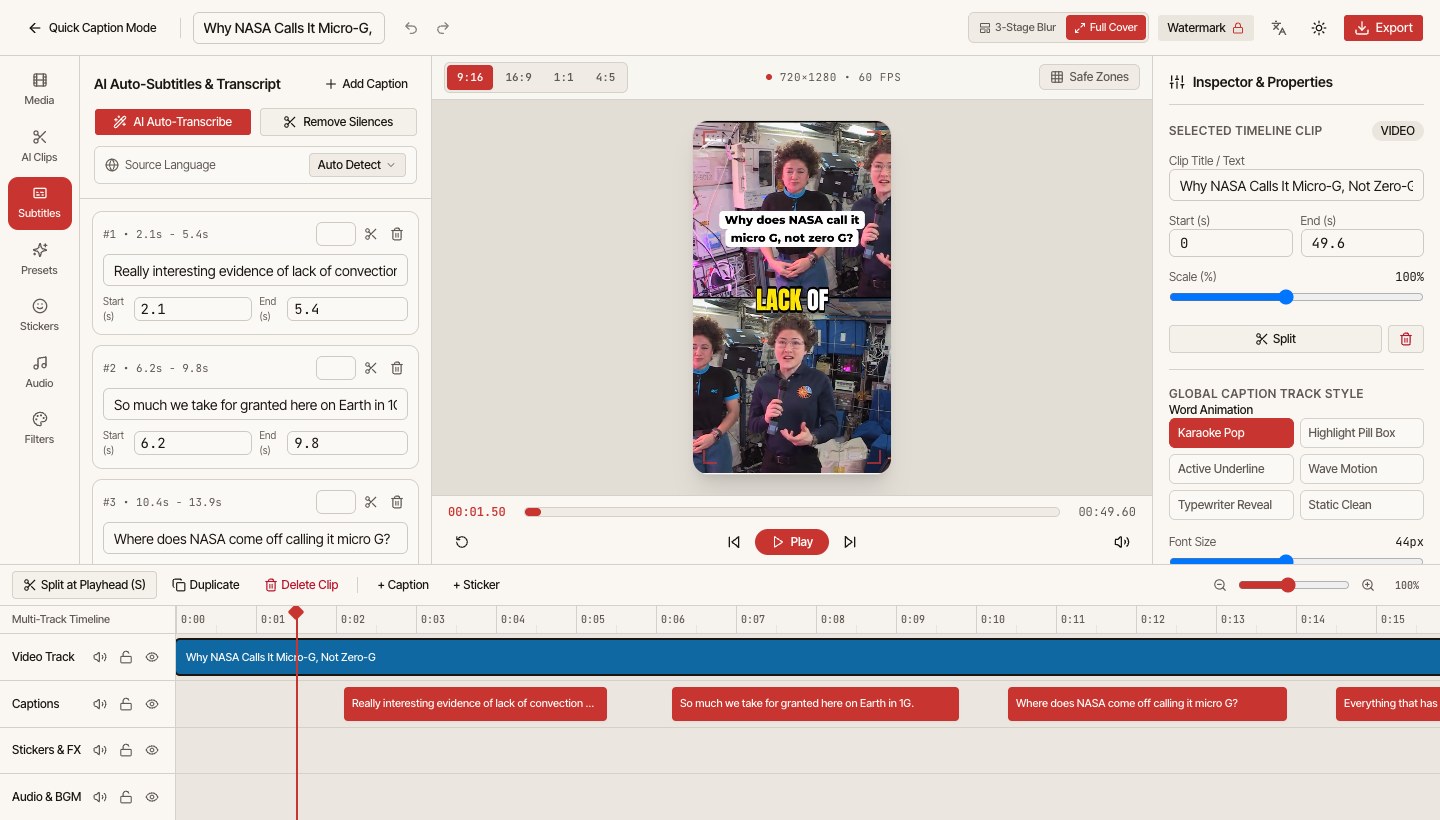
  1. 03:51when you do these experiments.
  2. 03:53Yep, that's absolutely true, and we see other
  3. 03:56really interesting evidence of lack of convection here.
  4. 04:09So much we take for granted here on Earth, just by living in 1G.
  5. 04:14I have a quick question. I gotta settle this once and for all.
  6. 04:19Every bit of physics I know tells me you are in free fall towards Earth,
  7. 04:24which renders all of you weightless in the International Space Station.
  8. 04:28So I would call that zero G.
  9. 04:30Where does NASA come off calling it micro G?
  10. 04:35Yep, that's a great question. Everything that has mass produces a gravitational field.

94It challenges a common space myth ('zero G' vs. 'micro G') with a crisp question-and-answer hook straight from the ISS.

Clean 1080p MP4 & SRT, ready to post

Every clip exports in crisp 1080p MP4 with burned-in word-by-word captions—plus a frame-accurate SRT file for Premiere, CapCut, or YouTube closed captions.

HOW OPENSHORTS WORKS ONLINE

How our OpenShorts pipeline turns 60-minute videos into 9:16, 1:1 & 16:9 clips

Focalreel wraps the open-source OpenShorts pipeline inside a fast cloud AI Clip Generator so you never touch Docker, CUDA drivers, or external LLM keys. Every step runs automatically on dedicated GPUs.

  1. 01

    Upload a video or paste a YouTube URL

    Drop an MP4, MOV, or WebM file up to 2 GB for direct Cloudflare R2 upload, or paste any public YouTube link into OpenShorts online. Our browser probe calculates duration and exact minute cost before you spend a single credit.

  2. 02

    Transcribe speech and score viral hooks

    The OpenShorts AI Clip Generator runs word-level speech recognition, detects speaker turns, and evaluates every candidate segment on hook strength, pacing, and narrative payoff so weak intros are filtered out automatically.

  3. 03

    GPU smart reframing (9:16, 1:1 & 16:9) and Pro Mode

    Dedicated NVIDIA GPUs run the OpenShorts reframing engine for vertical 9:16, square 1:1, or horizontal 16:9 output—with active face tracking, 50/50 dual-speaker split screen, or screencast picture-in-picture.

  4. 04

    Download watermark-free or refine in Studio

    Export clean 1080p MP4s and SRT files immediately, or open any clip from this OpenShorts AI Clip Generator inside Focalreel Browser Studio to swap animated caption styles and tweak transcript timing locally for free.

BUILT ON OPENSHORTS FOR REAL CREATORS

One OpenShorts AI Clip Generator for podcasts, screencasts, interviews, and teams

Generic crop tools slice off half a speaker face or make code unreadable on mobile. Hosted OpenShorts on Focalreel adapts its framing engine to the exact structure of your long-form footage.

SPLIT • 9:16

Two-person podcasts and video interviews

Turn hour-long studio episodes into vertical clips where both host and guest stay visible at the same time. Our OpenShorts AI Clip Generator detects both faces, locks a balanced top-and-bottom split screen, and aligns word-by-word captions so viewers never miss a reaction shot.
SCREENCAST • 9:16

Tech tutorials, product demos, and coding streams

Stop losing mobile viewers to blurry, zoomed-in screen recordings. OpenShorts Screencast PiP keeps your slides, terminal, or product UI sharp in the upper frame while anchoring the presenter webcam cleanly below—making this AI Clip Generator ideal for SaaS demos and developer channels.

TRACK • PRO MODE

Solo founders, educators, and talking-head creators

Record once in 16:9 horizontal for YouTube and let OpenShorts active-speaker face tracking follow natural movement smoothly inside TikTok and Reels safe zones. Pair OpenShorts tracking with Pro Mode jump-cuts to remove silent pauses automatically.

ONE-TIME PACKS

Clipping agencies and multi-channel editors

Managing client batches with unpredictable upload schedules should not require paying for idle monthly subscriptions. Buy one-time minute packs that never expire, process client footage with our OpenShorts AI Clip Generator, and hand off SRT plus watermark-free MP4 deliverables.

Ready-to-publish OpenShorts specs for every short-form feed

YOUTUBE SHORTS

1080×1920 vertical MP4 with 60s–90s pacing

Our OpenShorts AI Clip Generator outputs H.264 MP4 files tuned for YouTube Shorts compression, keeping high-contrast captions legible above the channel handle and subscribe bar while preserving crisp 48 kHz stereo audio from your original podcast or interview.

TIKTOK & REELS

Safe-zone framing and 3-second hook banners

Every vertical clip rendered by OpenShorts avoids the right-hand like, comment, and share buttons plus the bottom caption overlay. Turn on opening hook banners and word-by-word highlights so viewers scrolling on mute immediately grasp the payoff.

LINKEDIN & ARCHIVE

Clean SRT transcripts for every clip

Along with each rendered MP4, Focalreel delivers a frame-accurate SRT subtitle file for native closed captions on LinkedIn, X, and YouTube—or quick fine-tuning in CapCut, Premiere, or DaVinci Resolve.

OPENSHORTS CLOUD VS ALTERNATIVES

Why creators switch to a pay-as-you-go OpenShorts AI Clip Generator

Most cloud clipping tools charge $19–$29 every month and wipe unused minutes every 30 days. Self-hosting OpenShorts saves subscription fees but costs hours of Docker and GPU maintenance. Focalreel runs OpenShorts online with zero setup.

CapabilityFocalreel (OpenShorts Online)Monthly Subscription ClippersSelf-Host OpenShorts (Docker)
Billing modelOne-time minute packs ($2.99–$59), never expire$19–$29/mo recurring, unused credits expireFree code + your own GPU & LLM API bills
Watermark policyZero watermark on all cloud GPU packsWatermark on free & entry tiersZero watermark
Aspect ratios & framing9:16, 1:1 & 16:9 · Auto, Face Track, Split, ScreencastOften gated behind Pro/Business tiersFull OpenShorts MIT layouts after manual setup
Post-generation editing1080p MP4 + frame-accurate SRT includedSRT locked behind higher tiersManual export to Premiere or CapCut
Failed job protection100% automatic minute refund + 1-click retryManual support ticket requiredDebug Python & FFmpeg logs yourself

Pay-As-You-Go Pricing

Buy a pack once and use it whenever you publish. A minute is one minute of source video, however many clips come out of it.

Free Daily Preview Included

Every account gets 1 free preview per day (first 15 min · standard queue · watermarked, top 2 clips unlocked). Top up any minute pack anytime for full video length, zero watermark, and priority GPU speed.

Trial Pack

Entry

Low-commitment entry pack to clip a full video clean and fast.

$2.9920 min

$0.15 per minute

  • 20 cloud GPU minutes, never expire
  • No watermark · 1080p MP4 & SRT
  • Priority GPU fast lane (skip free queue)
  • All clips unlocked, one-time payment

Starter

One long episode, or a handful of short videos.

$960 min

$0.15 per minute

  • 60 minutes of source video
  • 1080p MP4 and SRT, no watermark
  • Every framing mode and caption option
  • Failed jobs refunded automatically

Creator

most popular

About four hour-long episodes. Fits a weekly show.

$24240 min

$0.10 per minute

  • 240 minutes of source video
  • 1080p MP4 and SRT, no watermark
  • Every framing mode and caption option
  • Failed jobs refunded automatically

Studio

Lowest per minute

About twelve hour-long episodes, for teams clipping several shows.

$59720 min

$0.08 per minute

  • 720 minutes of source video
  • 1080p MP4 and SRT, no watermark
  • Every framing mode and caption option
  • Failed jobs refunded automatically

No subscription and no auto-renewal. If a job fails, its minutes come back to your balance.

OpenShorts FAQ

By the length of the source video, rounded up. A 12 minute 30 second upload uses 13 minutes, however many clips come out of it. If a job fails, the minutes go back to your balance automatically.

Minutes from paid packs never expire. The free minutes you get when you sign up are valid for 30 days.

No. Every 9:16, 1:1, or 16:9 MP4 generated on paid minute packs is completely watermark-free in crisp 1080p, ready to publish directly to YouTube, TikTok, Reels, and LinkedIn.

Focalreel supports 9:16 vertical, 1:1 square, and 16:9 horizontal outputs, paired with all four OpenShorts GPU framing modes: Auto, Face Track, Dual Split, and Screencast PiP.

Yes. Switch to the YouTube URL tab, paste any public YouTube video or podcast link up to 120 minutes, choose your aspect ratio and framing mode, and our GPU pipeline renders your clips automatically.

Many creators publish weekly or in seasonal batches and end up paying for unused monthly credits that reset every 30 days. Focalreel lets you buy cloud GPU minutes once and use them whenever you upload, with automatic full credit refunds if any job fails.

MP4, MOV or WebM files up to 2 GB and 120 minutes, or a link to a public YouTube video. Podcasts, interviews, talks and screen recordings with narration work best.

It depends on how much of the video stands on its own. A one-hour conversation usually gives somewhere between 5 and 12. Each clip has a title, a hook line and a score.

Yes. Every clip exports as a clean, watermark-free 1080p MP4 alongside its frame-accurate SRT subtitle file, so you can post directly or drop it into CapCut, Premiere, or DaVinci Resolve.

Only you. Files are stored privately and shared with your browser through links that expire within an hour. Uploaded sources are deleted after 7 days and finished clips after 30 days, so download what you want to keep.

Turn Long Videos into Viral Clips

Start with a free daily preview or $2.99 one-time pack. No subscription.